Canva
Best when you want hands-on creative control over before-and-after graphics, one-off promos or branded designs.
Tradeoff: your team still owns the broader editorial plan and website publishing workflow.

Comparisons • Local business marketing
Choose Canva when your team wants to design the graphics and schedule social posts. Choose UGO when you want a recurring plan for social posts, blogs and local service-area content. If you need both, keep both.
Start free with UGO →
The quick decision
Best when you want hands-on creative control over before-and-after graphics, one-off promos or branded designs.
Tradeoff: your team still owns the broader editorial plan and website publishing workflow.
Best when you need a recurring calendar across social, blog and service-area content.
Tradeoff: set up your brand and supported connections, and review the work for accuracy.
Design custom campaign graphics in Canva. Use UGO to plan and create the recurring content around them.
Tradeoff: assign one person to own the calendar so posts aren’t scheduled twice.
| Workflow | Canva | UGO |
|---|---|---|
| Design | Templates and hands-on visual editing. | Brand direction and business photos support recurring content. |
| Social | Create and schedule designs using Content Planner on supported channels. | Plan, review, and publish social content with supported connections and settings. |
| Website content | Use visual assets in a separate editorial and publishing workflow. | Blog and local service-area content workflows. Availability and limits depend on plan. |
| Who does what? | Your team drives the calendar, creative choices and approvals. | UGO helps prepare the calendar and content; your team verifies facts, photos and approvals. |
Illustrative example • Not product output
Say you just wrapped up an asphalt shingle replacement and have permission to use the photos. In Canva, design a before-and-after graphic for Facebook. In UGO, use the actual project details to plan a social post, outline a blog about what homeowners should ask before replacing shingles, and update a relevant service-area page. Review the photo rights, facts and location before anything goes live.
HVAC: Design a seasonal tune-up graphic in Canva, then use UGO to plan a service reminder and a blog about what a tune-up includes.
Real estate: Design an open-house flyer in Canva, then use UGO to plan a social reminder and a blog about preparing for an open house. Review listing details and advertising requirements before publishing.
First-party product evidence
These are actual screens from a Boss Up Solutions account, cropped for readability. They show UGO’s interface, not a side-by-side performance test. Canva’s capabilities are described from its public documentation.
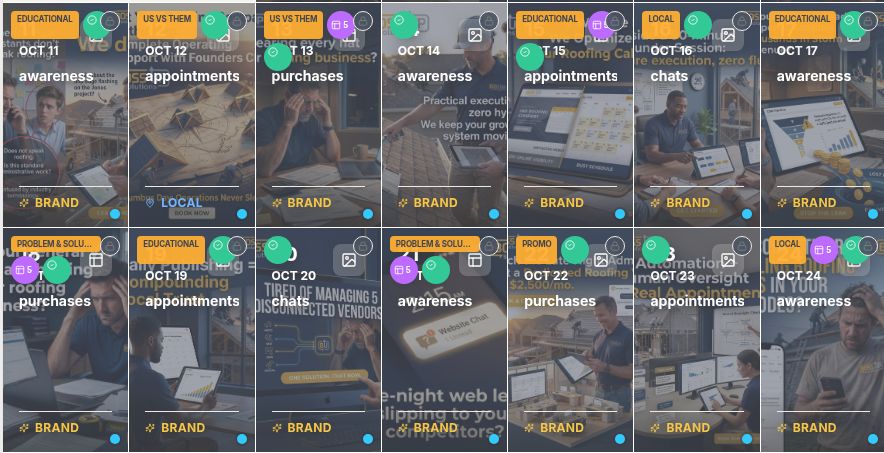
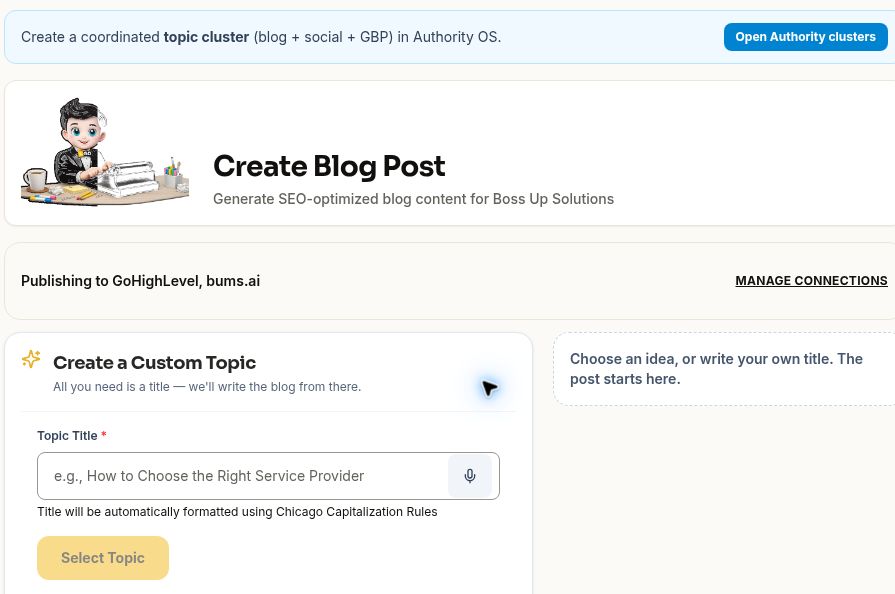
See all four UGO product screens. Features and limits vary by plan; publishing requires supported connections and completed settings.
Bring your website, your services and one recent project. Start by setting your brand direction and reviewing your first content ideas.
Start free with UGO →Published by the UGO team. We make UGO. This comparison uses public product documentation checked November 19, 2026, and illustrative industry scenarios. It is not an independent performance test.